
PlayX Payment Safety Checks Before You Deposit or Withdraw
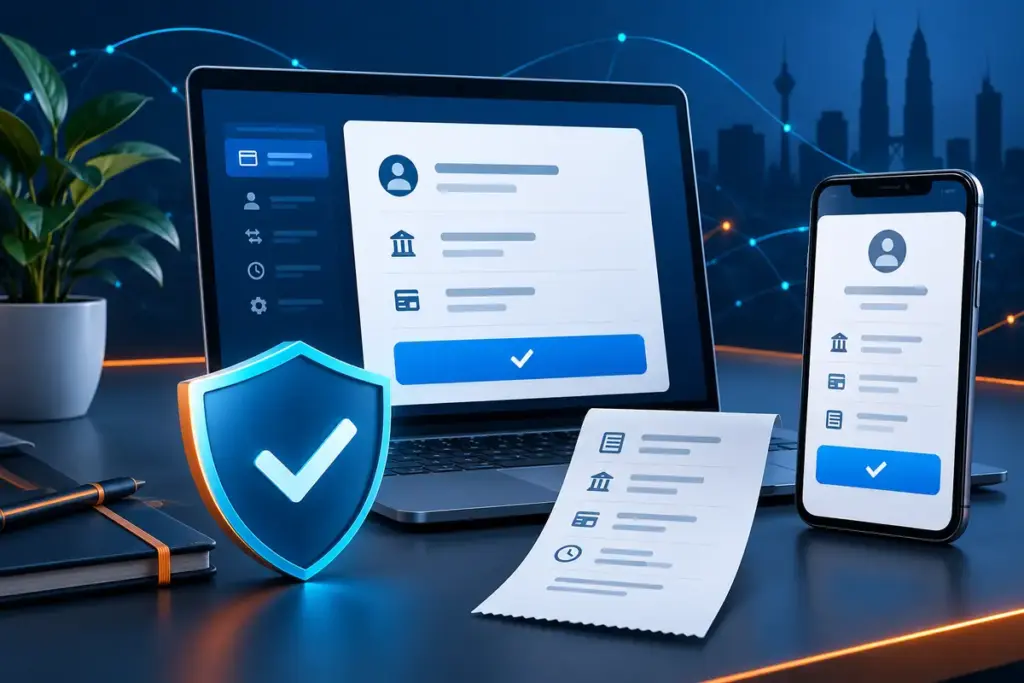
A payment screen deserves more attention than a promotional banner. Before sending money, check who will receive it, what amount is being requested and whether the instructions still match the page you intended to use. A minute spent checking these details is easier than trying to trace a payment made to the wrong account.
This guide is written for adults in Malaysia who want a practical way to review PlayX-related payment instructions. It does not confirm that a particular bank, eWallet, deposit method, withdrawal time or limit is currently available. Those details can change and should always be checked on the third-party platform before each transaction.
A payment page is a live instruction, not a permanent promise
Payment routes can be changed, paused or replaced. The account name, QR code, minimum amount and reference requested today may not be the same details shown during an earlier visit. Reusing an old screenshot or a saved bank beneficiary therefore creates an avoidable risk.
Read the current instructions from the beginning every time. If the payment page and a message from another channel show different details, stop. Do not decide that one version is probably correct. Resolve the difference through the support route shown inside the account area before sending anything.
The 90-second check before a deposit
1. Start from the page you meant to visit
Open the platform through your usual access route and check the address bar before entering account or banking information. If you arrived through an unfamiliar message, advertisement or shortened link, return to the page you recognise instead. The PlayX access page checklist covers this step in more detail.
2. Read the current payment instructions
Confirm the displayed method, currency, minimum and maximum amount, any fee, the recipient details and the reference format. Do not rely on values copied from an older transaction. If a method is unavailable, that does not confirm that an alternative suggested in a private message is valid.
3. Check the amount before opening your bank or eWallet
Decide the amount first and compare it with the limits displayed on the payment page. Entering a different amount can make reconciliation harder, particularly when the receiving system expects an exact value or reference.
4. Verify the recipient shown by your payment app
For a bank or DuitNow transfer, read the beneficiary name presented for confirmation. PayNet’s consumer guidance places verification of the recipient details before the final transfer step. A familiar logo, QR design or account number is not a substitute for checking the name returned by the payment app.
5. Treat TAC, OTP and approval prompts as private
A TAC, OTP, banking password, PIN or in-app approval is used to authorise activity on your account. Do not read it to another person, paste it into a chat or share your screen while approving a transaction. Malaysian banking guidance states that banks do not ask customers to disclose these credentials by telephone.
6. Review the final confirmation screen
Before confirming, check the recipient, amount and reference once more. Cancel if the name changes, the amount is different or the app shows an unexpected warning. Urgency is not a reason to skip the last screen.
7. Keep a usable transaction record
Save the date and time, amount, reference number, payment status and a screenshot that does not expose your full balance or sensitive banking details. A payment receipt is evidence of the transfer; it is not, by itself, proof that the platform has credited the account.
A practical PlayX payment safety checklist
| Check | What should match | Reason to stop |
|---|---|---|
| Page | The access route and current payment instructions | An unfamiliar domain, shortened link or unexpected redirect |
| Amount | The value you selected and the value in the payment app | A changed amount, added payment or request to split the transfer |
| Recipient | The beneficiary name returned by the bank or eWallet | A different or unexplained recipient |
| Authorisation | A TAC, OTP or approval prompt you initiated yourself | Someone asks you to reveal the code or approve another action |
| Record | Amount, time, reference and transaction status | No reference is issued, or the status remains unclear |
Deposit checks that prevent avoidable disputes
After a transfer is submitted, check both sides separately. Your bank or eWallet may show whether money left the account, while the platform shows whether the deposit was credited. “Successful” on one screen does not automatically mean that both records have been reconciled.
If the bank shows a completed transaction but the platform balance has not changed, do not immediately repeat the payment. First check whether the amount and reference were entered correctly, then note the elapsed time and use the relevant support channel. A duplicate transfer can turn one unresolved transaction into two.
Never send an additional “release”, “verification” or “security” payment solely because someone says it is required to credit an earlier deposit. Return to the account’s current payment information and verify the request before taking any action.
Withdrawal checks are different from deposit checks
A withdrawal usually depends on the account information already recorded by the third-party platform. Check the account holder name, bank or eWallet details, withdrawal amount and any verification message before submitting the request. A spelling difference, outdated account or account held by another person can cause a review or rejection.
Read the withdrawal page for the current minimum, maximum, fee, processing description and required account status. Do not treat an estimated processing period as a guaranteed arrival time. Bank processing, account checks and the provider’s current procedures may affect the result.
If you need to correct personal or payment details, use the platform’s account or support process. Do not send identity documents or bank statements to an unverified contact simply because they claim they can accelerate a withdrawal.
Promotions can change what must be checked
A promotion may carry eligibility rules, a qualifying deposit, game restrictions, a validity period or turnover conditions. These terms should be read before opting in, not only when a withdrawal is requested. The current offer page is the relevant source; an old banner or third-party summary may no longer match it.
Keep the promotion name and the terms that were displayed when you joined. If a term is unclear, ask for clarification before depositing. The PlayX promotions guide explains the details worth separating from the headline offer, while the payments guide covers the broader deposit and withdrawal flow.
What to record without exposing sensitive information
- Transaction date and local time
- Amount and currency
- Payment method selected
- Bank or eWallet transaction reference
- Platform deposit or withdrawal reference, if shown
- Status messages and the time each status changed
- Relevant support case number
Crop or cover unrelated balances, full account numbers, QR codes, identity numbers and authentication messages before sending a screenshot. A support case normally needs enough information to identify the transaction, not unrestricted access to your banking account.
What to do when a payment is pending or missing
- Do not repeat the transaction until its status is clear.
- Check whether the bank or eWallet shows pending, failed or completed.
- Compare the amount, recipient and reference with the instructions used.
- Record the time and take a redacted screenshot of the relevant status.
- Contact the party responsible for the unresolved side of the transaction.
- Use the platform’s stated support route for an account credit or withdrawal issue.
- Use your bank’s official contact details for an unauthorised or suspicious payment.
Keep the issue factual: reference number, time, amount and current status. Passwords, PINs, full card details and TAC or OTP codes are not troubleshooting information. For additional account protection steps, see the PlayX account security guide.
If you suspect a scam or unauthorised transfer in Malaysia
Act quickly. Bank Negara Malaysia advises victims of financial scams to contact their bank’s scam hotline or the National Scam Response Centre at 997. Use a number taken from the bank’s official website or banking app, not a number supplied by the person who contacted you.
The Royal Malaysia Police also provides Semak Mule, which can be used to check bank account or telephone numbers that have been reported in connection with scams. A clear result is not a guarantee that a payment is safe, but a reported result is a strong reason to stop and investigate.
Preserve receipts, messages, phone numbers, URLs and account details for the bank or authorities. Do not continue negotiating with the suspected scammer and do not pay someone who claims they can recover the money for an upfront fee.
Set the payment limit before the session
Payment safety also includes deciding what not to spend. Set a fixed amount that does not affect rent, bills, debt repayments or savings, and do not increase it to recover a loss. Stop if the decision changes from planned spending to chasing an outcome.
The responsible gaming guide covers limits, warning signs and when to step away. Payment tools should support a decision already made; they should not make the decision for you.
Common questions about PlayX payment checks
Which payment methods are currently available?
Availability may change by account, provider and time. Check the third-party platform’s current payment page before each transaction. This website does not confirm a permanent list of banks, eWallets or transfer methods.
Should I reuse recipient details from an earlier deposit?
No. Compare every new transaction with the details currently displayed. A saved beneficiary or old screenshot may contain information that has since changed.
Does a bank receipt prove that a deposit was credited?
It proves the transfer status shown by the bank or eWallet. The platform balance or transaction history must separately confirm that the deposit was credited.
What should I do if support asks for an OTP or banking password?
Do not provide it. End the conversation and contact the bank or platform again through an independently verified channel. TAC, OTP, PIN and banking login details should remain private.
Can playx-online.com trace a deposit or withdrawal?
No. playx-online.com publishes independent information and guides. It does not operate accounts, receive payments, process withdrawals or access third-party transaction records.
Continue with the relevant guide
- For the complete deposit and withdrawal overview, read the PlayX Payments Guide.
- Before using a new access route, follow the PlayX Access Page Checklist.
- For password, OTP and device protection, open Account Security.
- For help choosing the correct contact route, see Customer Support.
Sources and further reading
- Bank Negara Malaysia: Financial Scams
- PayNet: DuitNow Transfer for consumers
- Association of Banks in Malaysia: Protecting sensitive banking information
- Royal Malaysia Police: Semak Mule
Editorial note: Prepared by the playx-online.com Editorial Team as independent information for adults in Malaysia. Payment methods, limits, terms and processing descriptions should be checked on the relevant third-party platform before acting.
Prepared by the playx-online.com Editorial Team as independent information. Check current terms and account details at the relevant destination.
Related Guides
PlayX OTP Safety: 8 Rules for Login and Payment Codes
Eight practical rules for handling PlayX login codes, payment TAC prompts, delayed messages and unexpected verification requests in Malaysia.
PlayX Access Page Checklist: 7 Checks Before Sign-In
A practical seven-point checklist for reviewing a PlayX access page, protecting login details and responding to unexpected redirects or prompts.