
PlayX Access Page Checklist: 7 Checks Before Sign-In
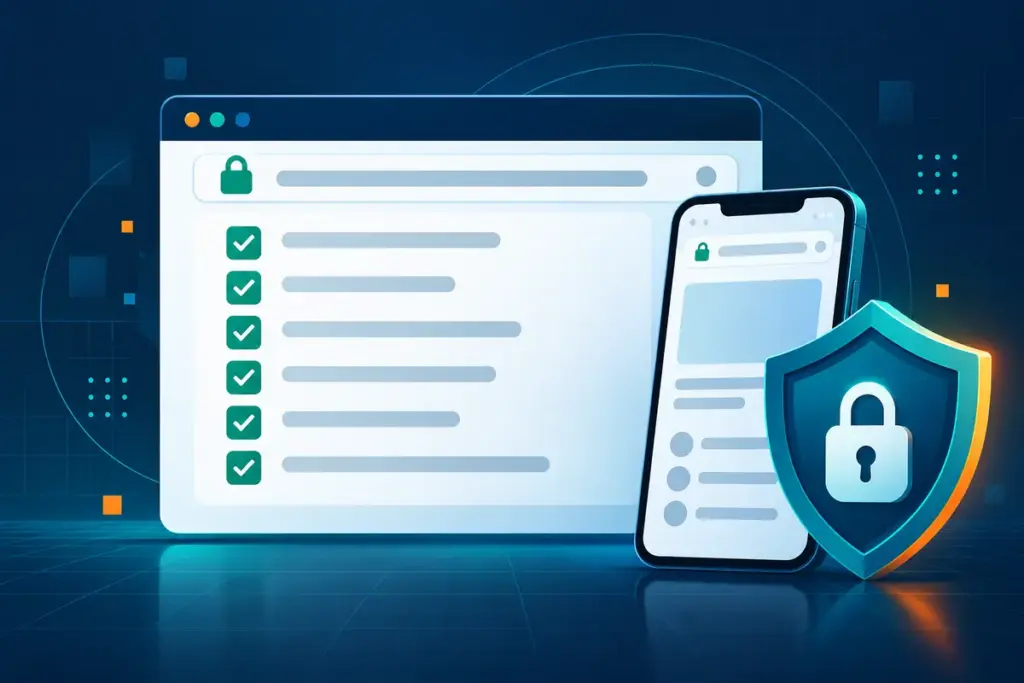
A familiar logo and a polished sign-in screen are not enough to prove that an access page is the one you intended to open. Page designs can be copied, old links can remain in messages or bookmarks, and a redirect can take you to a different domain without much warning.
This PlayX access page checklist is for adults in Malaysia who want a quick way to review the page in front of them before entering a password, one-time code or personal information. It does not attempt to certify a platform or promise that a page is safe. The aim is simpler: slow the process down long enough to notice details that are easy to miss.
Scope note: playx-online.com is an independent information website. It does not create PlayX accounts, operate account systems, process payments or view user balances. Product availability and account procedures should always be checked against the information currently displayed by the destination platform.
The 60-second check before you sign in
1. Read the complete domain name
Look at the browser address bar before interacting with the page. Read the hostname from right to left and check for extra words, missing letters, unusual hyphens or a different domain ending. A page can reproduce familiar colours and buttons while using an unrelated address.
Do not rely on the page title shown in a browser tab. The domain in the address bar is the more useful reference.
2. Confirm that the connection uses HTTPS
The address should begin with https://, and the browser should not show a certificate warning. HTTPS protects the connection between the browser and the website, but it is not proof that the operator, offer or page is trustworthy. Treat it as one basic requirement, not a complete safety verdict.
3. Notice whether you expected the redirect
If you selected a link on an information website and arrived on a different domain, pause before entering anything. Ask whether the change matches what the button said it would do. A legitimate external destination can still have a different brand name, layout or account process. What matters is that you recognise the change and make a deliberate decision to continue.
4. Check what the form is asking for
A normal sign-in form usually asks only for the credentials needed to access an existing account. Stop if a page unexpectedly requests a banking password, card PIN, complete payment credentials, remote-access permission or an application download before allowing a basic login.
Registration, identity checks and payment verification are separate processes. A page should not blur them together without explaining why the information is required.
5. Use a password that is not shared with another account
A unique password limits the damage if one service experiences a breach. A password manager can generate and store a long password without requiring you to remember small variations of the same phrase. Reusing an email password is especially risky because access to the email account may also allow password resets elsewhere.
6. Treat every OTP as a one-time secret
An OTP is meant to confirm an action that you initiated. Read the message before entering the code and check whether it describes the action on screen. Do not give the code to a person through chat, phone, social media or screen sharing. If an OTP arrives when you are not signing in or approving an action, do not use it.
7. Stop when the page creates urgency
Unexpected countdowns, threats of immediate account closure or instructions to act before checking the details are reasons to pause. Close the page, reopen the route you normally use and compare the information. A short delay is preferable to entering credentials into the wrong form.
A practical PlayX access checklist
| Check | What to look for | Reason to stop |
|---|---|---|
| Address | The domain is the one you intended to visit. | Misspellings, extra words or an unfamiliar domain ending. |
| Connection | HTTPS loads without a browser certificate warning. | A privacy or certificate warning appears. |
| Redirect | The destination change matches the link you selected. | You arrive somewhere unexpected or cannot explain the change. |
| Credentials | The form asks only for information relevant to the action. | It requests a banking password, PIN or remote-access permission. |
| OTP | The code relates to an action you started. | The OTP arrives unexpectedly or someone asks you to forward it. |
| Device | The page works through the expected browser or application. | It demands an unverified download or changes security settings. |
Why the address bar matters more than the page design
Brand colours, promotional banners and sign-in forms are visible elements that can be recreated. The domain and browser security warnings provide information that is harder to hide. This is why the same check should be repeated even when a page looks identical to one used before.
Saved links also deserve occasional review. A bookmark records a location, not a permanent guarantee. If the destination changes, compare the current address and on-screen information rather than continuing automatically.
Password and OTP rules worth keeping separate
Passwords and one-time codes protect different parts of the sign-in process. They should not be treated as interchangeable.
- Password: use a long, unique password and store it in a trusted password manager.
- OTP: enter it only for an action you started and never send it to another person.
- Approval prompt: reject an unexpected login or device request instead of approving it to clear the notification.
- Recovery: begin recovery from a route you independently opened, not from a link supplied by an unknown contact.
- Email: protect the connected email account with its own unique password and additional verification where available.
The US Cybersecurity and Infrastructure Security Agency recommends long, unique passwords and multifactor authentication because a second verification step can reduce the risk created by a stolen password. Bank Negara Malaysia also advises users not to disclose personal or banking information or enter it on suspicious websites.
What to do after an unexpected redirect or prompt
- Do not enter credentials or payment information.
- Copy the domain or take a screenshot if you may need to report the page.
- Close the tab and reopen the route you normally use.
- Check recent account activity if you already submitted information.
- Change a reused password from a trusted device.
- Contact the relevant platform through a support route displayed inside the service you recognise.
- If banking details or a payment approval may have been exposed, contact the bank immediately through its official channel.
Do not install remote-control software or share your screen because someone claims it is necessary to fix a login problem. A genuine support conversation should not require you to disclose a password, OTP or banking PIN.
Where playx-online.com fits
playx-online.com organises independent PlayX information and practical guides for adults in Malaysia. The editorial team can explain general navigation, security checks and questions to ask before continuing to another service.
The website cannot confirm account ownership, reset passwords, retrieve OTP codes, review deposits or withdrawals, or access personal records. Those functions belong to the platform currently handling the account. The PlayX customer support guide explains how to identify the type of help required before contacting the relevant service.
Common questions about checking a PlayX access page
Does HTTPS mean a PlayX access page is genuine?
No. HTTPS encrypts the connection, but it does not confirm the identity, reputation or operating relationship of the destination. Check the complete domain and the information being requested as well.
Should I use the same password as my email account?
No. Use a separate password. If one password is exposed, reuse can place both the platform account and the email recovery route at risk.
Can support ask me for an OTP?
An OTP should normally be entered only into the service for the action you initiated. Do not send it to another person through chat, phone or social media.
What if the page opens on a different domain?
Pause and review the destination before entering information. Confirm that the redirect matches the link you selected and that you understand which service will handle the account.
Can playx-online.com check whether my account is active?
No. playx-online.com is an independent information website and has no access to account records, login status, payments or identity-verification data.
Continue with the relevant PlayX guide
- For ordinary access steps, read the PlayX Login Guide.
- For password, OTP and device protection, review PlayX Account Security.
- Before creating an account, use the PlayX Registration Guide.
- Before sending payment information, review the PlayX Payments Guide.
- For session limits and warning signs, visit Responsible Gaming.
Sources and further reading
- Bank Negara Malaysia: Financial crime awareness and consumer protection
- CISA: Use Strong Passwords
- CISA: Turn On Multifactor Authentication
Editorial note: This guide separates general security advice from platform-specific information. Account procedures, available security tools and destination pages may change; review the current on-screen information before acting.
Prepared by the playx-online.com Editorial Team as independent information. Check current terms and account details at the relevant destination.
Related Guides

PlayX OTP Safety: 8 Rules for Login and Payment Codes
Eight practical rules for handling PlayX login codes, payment TAC prompts, delayed messages and unexpected verification requests in Malaysia.
PlayX Payment Safety Checks Before You Deposit or Withdraw
A practical payment checklist for adults in Malaysia, covering recipient verification, transaction records, deposits, withdrawals and suspicious requests.